> ## Documentation Index
> Fetch the complete documentation index at: https://docs.gameball.co/llms.txt
> Use this file to discover all available pages before exploring further.
# How Do I Set Up Predict & Win?
> Run a score-prediction game around live events — customers forecast match results, earn points by accuracy, and compete on a live leaderboard.
| Platform | Plan |
| ------------ | ------------------- |
| Shopify | Pro & Guru |
| Salla | Pro & Guru |
| Non-Platform | Enterprise (add-on) |
Turn a major sporting event into a month of daily engagement. Predict & Win lets customers forecast match scores before kickoff, earn points based on prediction accuracy, and climb a live leaderboard — giving you a daily reason to bring shoppers back throughout the event.
***
## Creating a Predict & Win Campaign
Open Gameball and click **Add Reward Campaign**.
Select the **Predict & Win** template.
Edit the campaign's setup (see configuration sections below).
Click **Set Live** to activate the campaign.
***
## Campaign Configuration
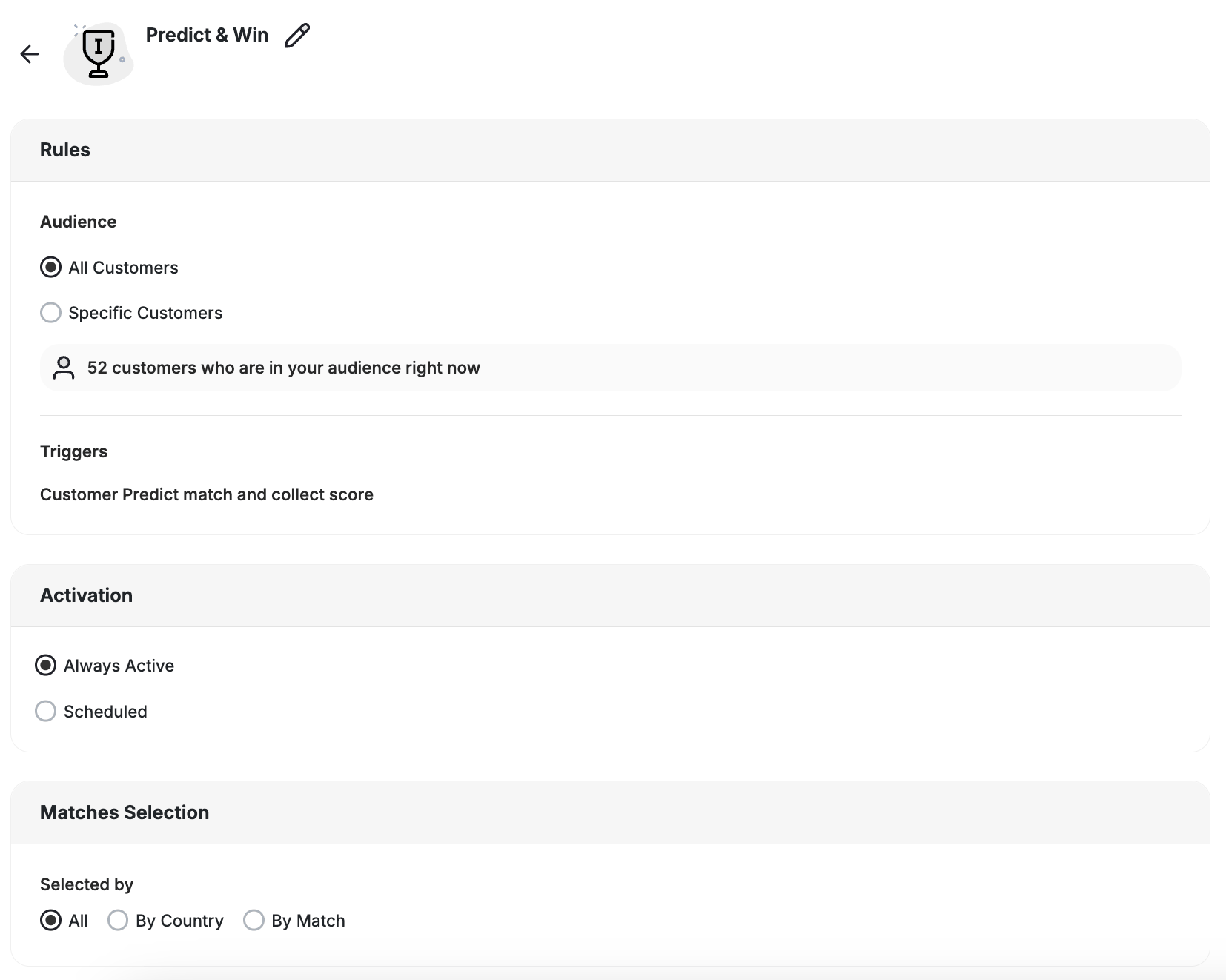
* **All Customers:** Every registered customer in your program.
* **Specific Customers:** Filter by segment, tag, or customer attributes to limit who can participate.
The trigger for this campaign is **Customer Predict match and collect score** — customers earn the reward each time they submit a prediction for an open match.
A dedicated **Predict & Win** banner appears in the loyalty widget. You can also share a deep link directly to the game for use in emails, banners, or push notifications.
* **Always Active:** The campaign runs continuously while live.
* **Scheduled:** Set a start and end date to align the campaign with the event window.
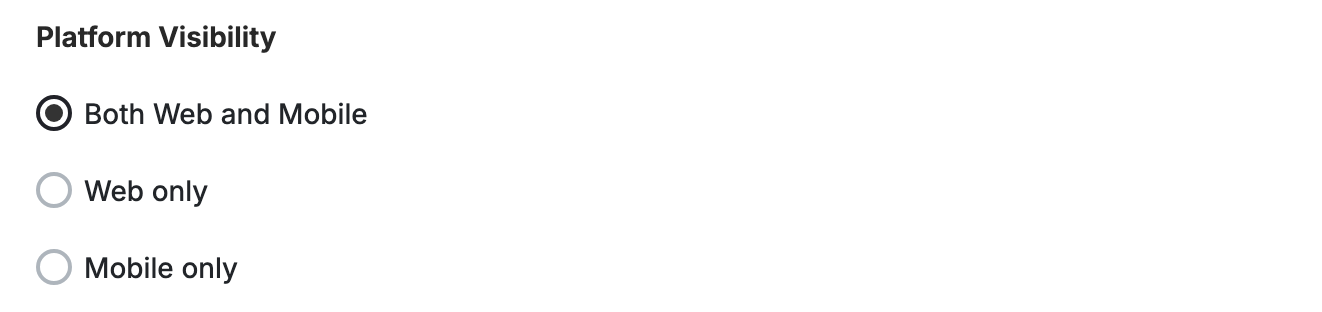
Choose whether the game campaign is shown on web, mobile, or both, giving you better control over engagement strategies across platforms.
 This template uses the standard reward campaign setup. See the [Generic Setup Guide](/product-documentation/rewards-campaigns/start-from-scratch/setup-reward-campaign) for details.
***
## Matches Selection
Choose which matches customers can predict on.
This template uses the standard reward campaign setup. See the [Generic Setup Guide](/product-documentation/rewards-campaigns/start-from-scratch/setup-reward-campaign) for details.
***
## Matches Selection
Choose which matches customers can predict on.
 | Option | Description |
| -------------- | ------------------------------------------------ |
| **All** | Every match in the event is open for predictions |
| **By Country** | Only matches involving a specific national team |
| **By Match** | Hand-pick individual matches to open |
Only matches you enable are visible to customers in the widget.
***
## Scoring Model
Configure how many points customers earn per prediction. The model is fully customizable, with World Cup default rules pre-filled:
| Prediction Type | Description |
| ------------------- | -------------------------------------------- |
| **Exact score** | Predicted the exact final score |
| **Goal difference** | Correct goal margin but wrong exact score |
| **Correct winner** | Right winning side but wrong margin |
| **Participation** | Submitted a prediction regardless of outcome |
You can also enable a **knockout timing bonus** that awards extra points for predictions submitted close to kickoff during knockout-stage matches.
### Knockout Stage Predictions
Predict & Win runs through the final. Knockout matches can't end in a draw, so the match card adapts to what the customer predicts:
* **Level score predicted:** The customer is asked who wins the penalty shootout.
* **Decisive score predicted:** The customer gets a 90 minutes / extra time toggle.
A **Correct Decider** bonus (default +2 points, fully configurable) rewards customers who correctly call both the advancing side and the manner of victory. Base scoring tiers are unchanged, and no new setup is required to use knockout matches.
***
## Rewards & Leaderboard
Predict & Win supports two independent reward tracks:
* **Per-match rewards** — awarded based on prediction accuracy after each match result is confirmed
* **Rank-based leaderboard rewards** — awarded to the top-ranked customers at the end of the campaign (up to 10 positions)
Rewards can be delivered via Gameball, an external API, or self-fulfilment.
***
## Advanced Options
| Option | Description |
| -------------- | ------------------------------------------------ |
| **All** | Every match in the event is open for predictions |
| **By Country** | Only matches involving a specific national team |
| **By Match** | Hand-pick individual matches to open |
Only matches you enable are visible to customers in the widget.
***
## Scoring Model
Configure how many points customers earn per prediction. The model is fully customizable, with World Cup default rules pre-filled:
| Prediction Type | Description |
| ------------------- | -------------------------------------------- |
| **Exact score** | Predicted the exact final score |
| **Goal difference** | Correct goal margin but wrong exact score |
| **Correct winner** | Right winning side but wrong margin |
| **Participation** | Submitted a prediction regardless of outcome |
You can also enable a **knockout timing bonus** that awards extra points for predictions submitted close to kickoff during knockout-stage matches.
### Knockout Stage Predictions
Predict & Win runs through the final. Knockout matches can't end in a draw, so the match card adapts to what the customer predicts:
* **Level score predicted:** The customer is asked who wins the penalty shootout.
* **Decisive score predicted:** The customer gets a 90 minutes / extra time toggle.
A **Correct Decider** bonus (default +2 points, fully configurable) rewards customers who correctly call both the advancing side and the manner of victory. Base scoring tiers are unchanged, and no new setup is required to use knockout matches.
***
## Rewards & Leaderboard
Predict & Win supports two independent reward tracks:
* **Per-match rewards** — awarded based on prediction accuracy after each match result is confirmed
* **Rank-based leaderboard rewards** — awarded to the top-ranked customers at the end of the campaign (up to 10 positions)
Rewards can be delivered via Gameball, an external API, or self-fulfilment.
***
## Advanced Options
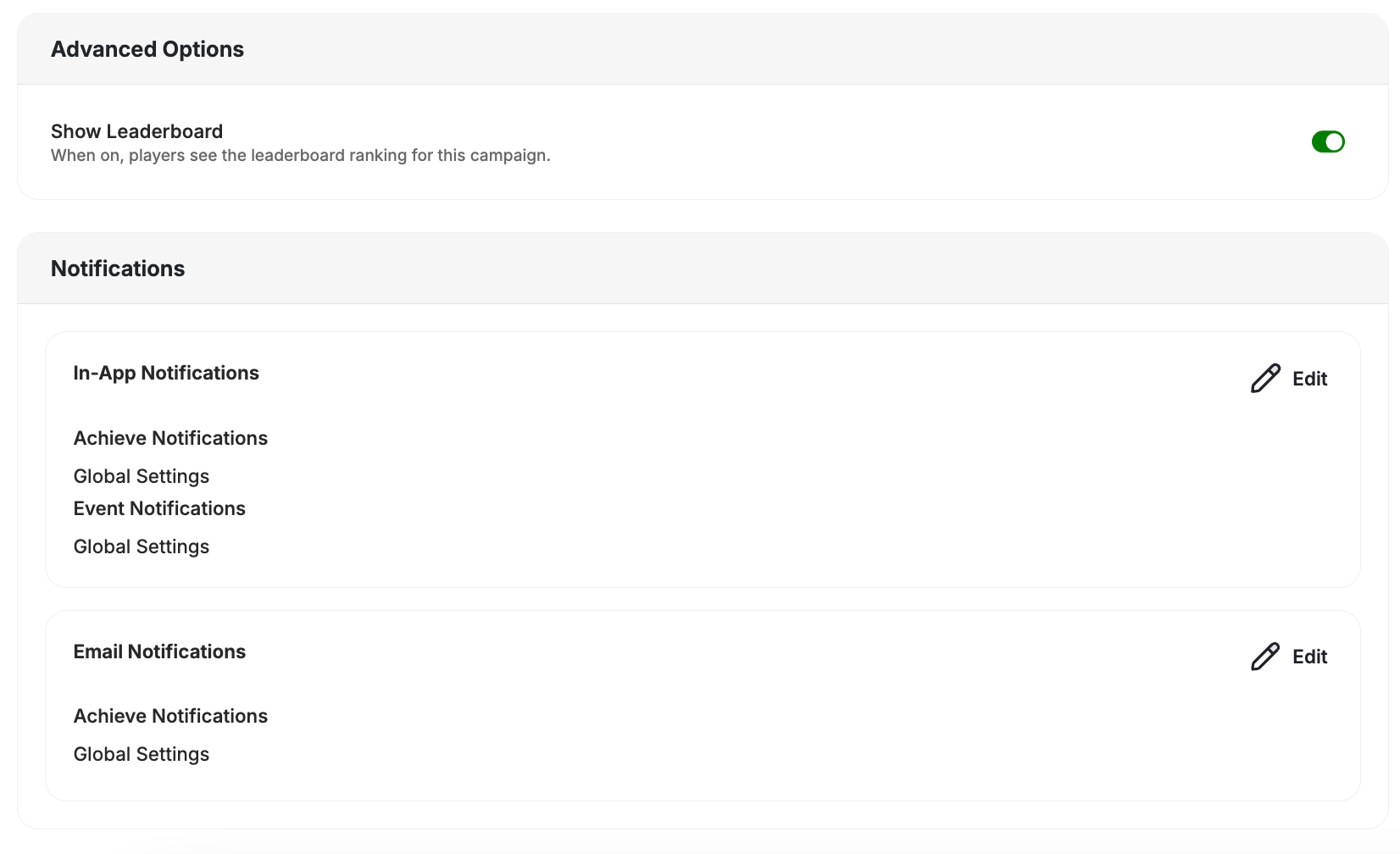 **Show Leaderboard** — When on, players can see the live leaderboard ranking for this campaign inside the widget. Turn it off to run the game without a visible ranking.
**Notifications** — Configure how customers are notified when they earn a reward:
* **In-App Notifications:** Achieve Notifications and Event Notifications both follow Global Settings by default.
* **Email Notifications:** Achieve Notifications follow Global Settings by default.
[Learn more about notifications](/product-documentation/rewards-campaigns/start-from-scratch/setup-reward-campaign)
***
## End User Experience
**Show Leaderboard** — When on, players can see the live leaderboard ranking for this campaign inside the widget. Turn it off to run the game without a visible ranking.
**Notifications** — Configure how customers are notified when they earn a reward:
* **In-App Notifications:** Achieve Notifications and Event Notifications both follow Global Settings by default.
* **Email Notifications:** Achieve Notifications follow Global Settings by default.
[Learn more about notifications](/product-documentation/rewards-campaigns/start-from-scratch/setup-reward-campaign)
***
## End User Experience
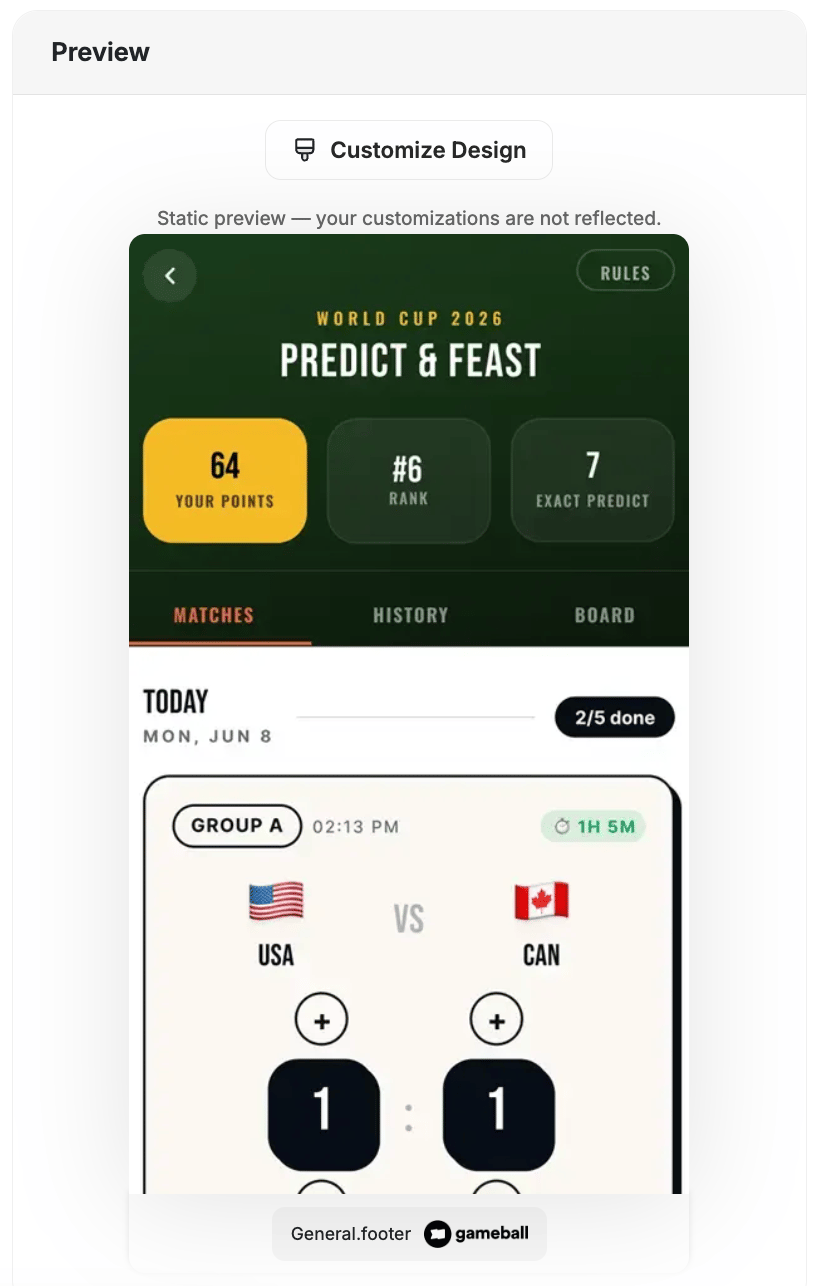 Customers tap the Predict & Win banner in the loyalty widget or follow a shared deep link.
On the **Matches** tab, customers enter their predicted score for each open match before kickoff.
After matches are played, customers check their accuracy on the **History** tab and see their overall standing on the **Board** tab.
Points are awarded based on prediction accuracy. Top-ranked customers earn leaderboard rewards at the end of the campaign.
***
## Insights & Export
The Predict & Win insights panel labels its participation metric **Total Predictions** — the count of both scored and unscored predictions submitted. The distinct customer count matches the number of players shown on the widget, counting anyone who made a prediction, scored or not.
The Insights leaderboard lets you export participant lists filtered by result category or rank. Use the export to:
* Reward top-ranked customers manually
* Segment football-fan customers for follow-up campaigns
* Tag participants for future targeting
***
## Important Notes
**Customer Eligibility**
Games in the widget update dynamically based on customer eligibility, ensuring customers only see games they can still participate in.
**Games are hidden when customers become ineligible.**
If a customer no longer belongs to the game's target segment, the game is automatically removed from the widget and will not reappear unless eligibility is restored.
***
## Related Articles
Step-by-step guide to configuring any reward campaign.
Explore the different reward types you can offer customers.
Configure how customers are notified when they earn a reward.
Customers tap the Predict & Win banner in the loyalty widget or follow a shared deep link.
On the **Matches** tab, customers enter their predicted score for each open match before kickoff.
After matches are played, customers check their accuracy on the **History** tab and see their overall standing on the **Board** tab.
Points are awarded based on prediction accuracy. Top-ranked customers earn leaderboard rewards at the end of the campaign.
***
## Insights & Export
The Predict & Win insights panel labels its participation metric **Total Predictions** — the count of both scored and unscored predictions submitted. The distinct customer count matches the number of players shown on the widget, counting anyone who made a prediction, scored or not.
The Insights leaderboard lets you export participant lists filtered by result category or rank. Use the export to:
* Reward top-ranked customers manually
* Segment football-fan customers for follow-up campaigns
* Tag participants for future targeting
***
## Important Notes
**Customer Eligibility**
Games in the widget update dynamically based on customer eligibility, ensuring customers only see games they can still participate in.
**Games are hidden when customers become ineligible.**
If a customer no longer belongs to the game's target segment, the game is automatically removed from the widget and will not reappear unless eligibility is restored.
***
## Related Articles
Step-by-step guide to configuring any reward campaign.
Explore the different reward types you can offer customers.
Configure how customers are notified when they earn a reward.