

Streak Protection, Real-time Segments, Points Receipts & More
New Features
Streak Protection: Restore or Freeze
Check-in Streak campaigns can now include streak protection, so customers who have built a long streak can restore it after a break or freeze it before it breaks. One missed day no longer pushes your most engaged customers out of the campaign. Available on Pro and Guru plans.- Turn on streak protection below Streak Frequency and choose Restore or Freeze
- Set how many completed intervals unlock protection for a customer
- Set an optional restore window, or a freeze duration in days (or unlimited)
- All protection copy on the widget is fully editable
Completion Window for Missions & Stamps
Give each customer a fixed number of days to finish a Mission or Stamps campaign once they start. The customer’s clock runs separately from the campaign schedule, so a month-long campaign can still ask each customer to finish within 5 days. Available on Pro and Guru plans.- Works with sequential and non-sequential Missions, and with Stamps campaigns
- Customers see their remaining days on the mission or stamps card
- Countdown wording is editable per language in the Customization step
WhatsApp Messages in Automations
Add a Send WhatsApp step to any automation flow and reach customers on WhatsApp at the right moment in their journey. Available to accounts with the WhatsApp channel enabled.- Choose from your approved WhatsApp templates and pick a fallback language
- Map template variables from customer data, including coupon codes created earlier in the flow
- Send a test message before going live
- Sent, delivered, and failed counts show on the node
Real-time Segmentation
Segments now update in real time. When a customer places an order, earns or redeems points, changes tier, or updates their profile, they move in or out of the right segments within seconds.- Segments built on customer fields, custom attributes, counters, and points balances refresh instantly
- Segments that rely on order or event history keep refreshing on a schedule
- Every segment shows whether it refreshes instantly or on a schedule
Points Receipt for Every Order
The order details drawer now shows exactly why an order earned the points it did, from each item’s eligibility to the rate applied and any campaign boosts.- Order summary with points earned, value, tier, balance before, and expiry
- Line-by-line breakdown of eligible amount, rate, and campaign multiplier
- Items that earned no points show a clear reason
- A reconciliation check confirms the item total matches the recorded points
Campaign Points Lifecycle Breakdown
The campaign Insights tab now shows where every rewarded point went, not just the total.- Redemption rate shown at the centre of a donut chart
- Breakdown by redeemed, expired, cancelled, pending, and more, with points and value
- Empty buckets are hidden automatically
Return Window per VIP Tier
Each VIP tier can now have its own return window, so your most trusted customers get their cashback points sooner. Available on Pro and Guru plans.- Add a Return Window from the tier’s Benefits section
- A tier’s window overrides the global one; remove it to fall back to the global setting
- The global Return Window setting lists every tier with its own window
Return Coupons on Full Refund
When an order is fully refunded, the coupon used on it can now be returned to the customer automatically.- Turn it on per coupon from Advanced Options
- Only full refunds return the coupon; partial refunds that add up to the order total count as full
- Works for every coupon type, with refunds from Shopify, Salla, and the API
- A new “Return coupon” action on used coupons in the customer profile
Survey Popup: Display Triggers & Page Targeting
Choose when your survey popup appears and on which pages. Available on Pro and Guru plans.- Trigger on page load, after a time delay, or on exit intent
- Target specific page URLs with exact, contains, or starts-with matching
- Control how often the popup returns for visitors who close it
Smarter Coupon Validation & New “Applies To” Options
Coupons can now combine restrictions such as brand and category, and the Coupon Validation API checks them item by item.- New “Applies To” options when creating a coupon, combined with AND or OR
- Send cart items to the Coupon Validation API to match restrictions line by line
- Clearer error codes explain why a coupon was rejected
Multiplier Earnings Breakdown per Item
When several points multiplier campaigns run at once, API responses and Insider events now show which campaign boosted which item and by how much.- Per-item base points, multiplier, resulting points, and campaign ID and name
- Available in Calculate Order Cashback, Track Order, Get Order Transactions, and List Transactions
- Sent in Insider events, including refunds and cancellations
Other Improvements
Order Points Breakdown API
A new endpoint returns the full points calculation for any order, including per-item eligibility, rates, campaign multipliers, redemption details, and rounding.Per-Customer Referral Limit
Cap how many referral rewards a single customer can earn, for their lifetime or per day, week, or month. Referred friends still receive their reward.Redeemed & Expired Points by Source
Redeemed and expired points are now split by source (Cashback, Achievements, Manual, and Refunded Points) for any date range.Points on Hold in the Customer Profile
The customer profile now shows points on hold alongside Active and Pending balances.Multiplier Campaign Details in Exports & Data Warehouse
Activity log exports and the Data Warehouse now include the ID and name of the points multiplier campaign applied to each transaction.Image & “How to Redeem” for External Rewards
External Reward (API Call) redemption options can now have a reward image and “How to redeem” instructions.Coupon Advanced Options at a Glance
A coupon’s advanced options are now visible wherever that coupon appears.Skip Optional Survey Questions
Optional survey questions now show a Skip button.Clearer Widget Error Screens
The widget now shows a clear message with a retry option instead of a blank screen or endless spinner when something goes wrong.Dashboard Language Moved to Profile Settings
Dashboard language is now a personal preference under Profile Settings > Preferences.Games Stay Playable When Rewards Run Out
Spin the Wheel, Slot Machine, and Scratch & Win now fall back to “Better luck next time” when every reward has hit its limit, instead of showing an error.A New Home Page, Weekly & Monthly Streaks, Live Job Status & More
New Features
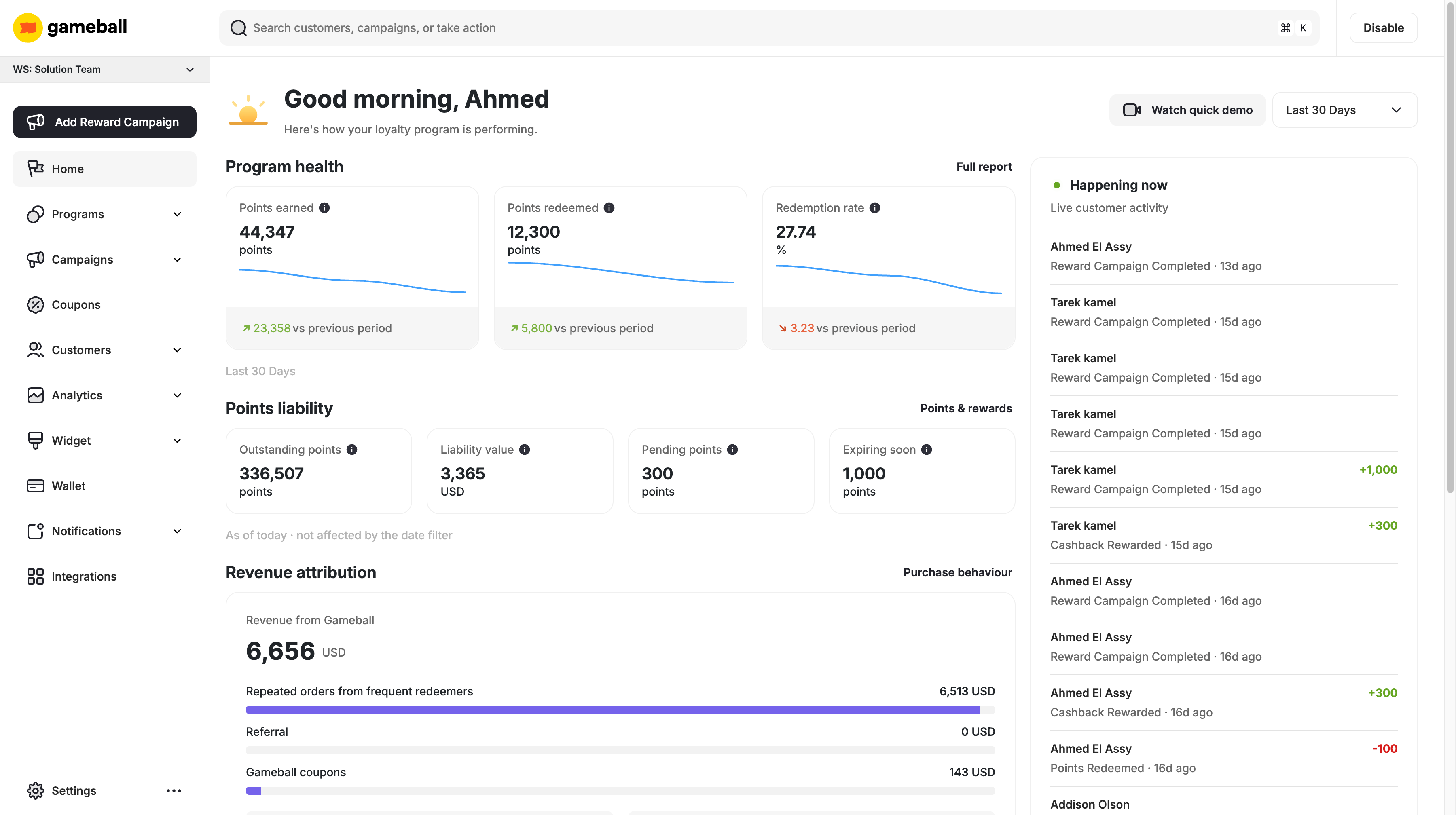
A New Home Page
The Home page now opens on how your loyalty program is actually performing. Points earned, points redeemed and your redemption rate each come with a trend line, and a points liability section shows what your outstanding points are worth in your own currency. A live activity rail shows customers earning and redeeming as it happens.- Program health for the period you choose, with trends on every metric
- Points liability — outstanding points, their value, pending points and points expiring soon
- Revenue attribution across repeated orders, referral, coupons and email, plus average order value for redeemers against non-redeemers
- A live “Happening now” rail that refreshes on its own and pauses when you switch tabs
- A date filter defaulting to the last 30 days, which never affects the liability figures
Weekly and Monthly Check-in Streaks
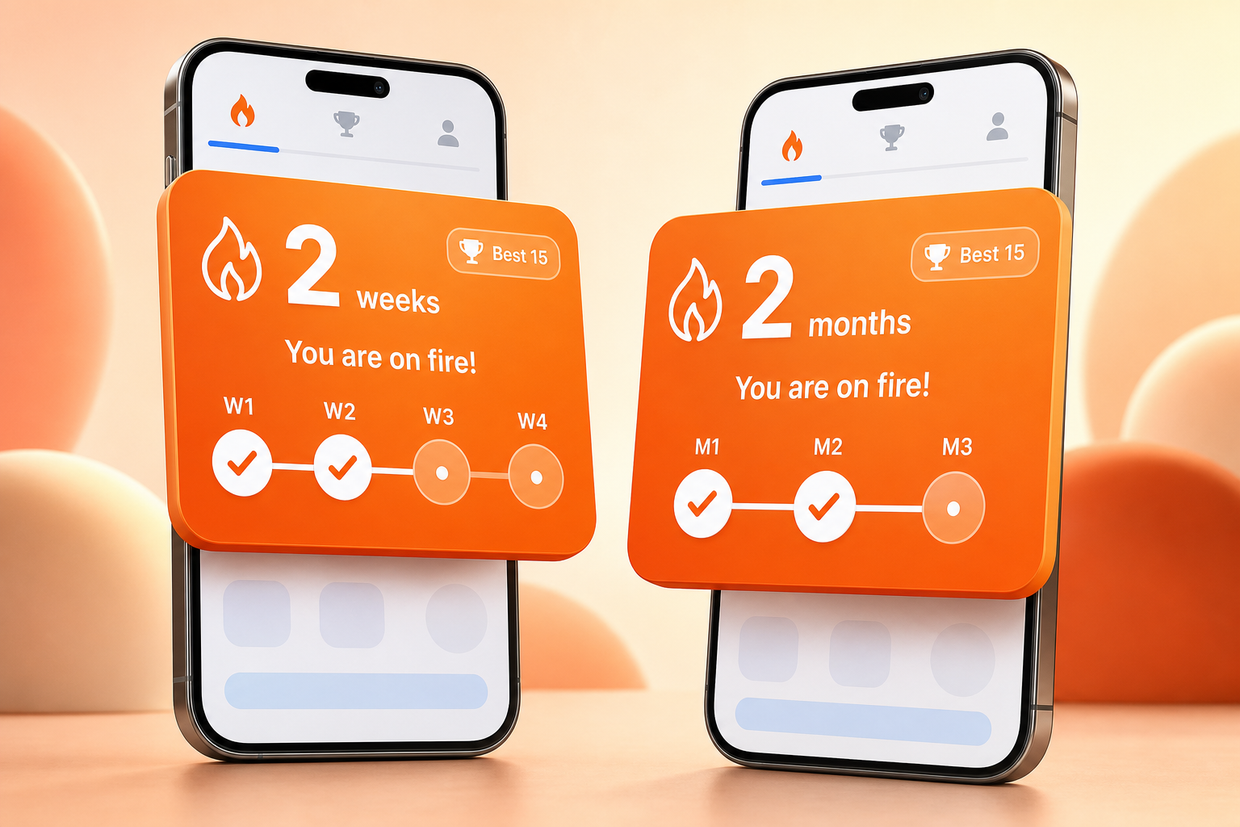
Check-in Streak campaigns are no longer daily-only. Set the streak interval to weekly or monthly so customers on a natural weekly or monthly buying cycle — groceries, subscriptions, delivery — can build and keep a streak instead of breaking it by design. Every existing streak campaign stays daily with no action needed.- Choose Daily, Weekly or Monthly as the streak frequency, with Daily as the default
- Weekly streaks let you set which day the week starts on, and boundaries resolve in your account timezone
- Titles, descriptions, reward rows and badge thresholds all relabel to match the frequency you pick
- Monthly milestones count streak steps rather than calendar months, so a customer who joins mid-year progresses exactly like one who joined in January
- Frequency and week start day lock once the campaign goes live
Background Jobs Banner
Exports, bulk player migrations and CSV reward or tag uploads no longer run out of sight. An always-on banner shows what’s running, what’s queued and how long it has left, updating live without a refresh.- Every job shows as Queued, Running, Completed or Failed
- A progress bar with a live ETA based on how long that job type usually takes
- A visible queue showing what’s running now and what’s waiting, in order
- Finished jobs show a plain-language result and keep their download link, then clear after an hour
- Failed jobs show an actionable error and let you start again; re-triggering a running job is blocked
Incident Status on the Dashboard
When an incident affects your account, a banner now appears in your dashboard the moment it’s declared — no ticket needed. It moves through Investigating, Monitoring and Resolved, then clears itself once everything is back to normal.- The banner is served independently of core services, so it still shows when those services are degraded
- Incidents can target all clients or specific accounts; account-scoped incidents are never made public
- When all clients are affected, the public status page stays in sync with the same wording
Widget State Screens
When the widget can’t load, your customers used to see a blank screen, an endless spinner or a raw browser error. Every failure now lands on a named screen with a clear message, and a Retry button wherever retrying can help.- Account states — an excluded or deactivated customer, a disabled loyalty program, or a missing account each get their own plain-language message
- Session and setup — an expired token silently attempts re-login first, then explains; a store configuration problem tells the customer to contact the store
- Errors and connectivity — server errors, service downtime, timeouts, rate limiting and lost connections all show a clear, retryable message
Retrieve a Mission or Stamps Campaign via the Merchant API
You can now fetch a single Mission or Stamps campaign by ID through the Merchant API and render it in your own storefront or app.- Returns the full campaign configuration: rules, rewards, targets, dates, lifecycle status and campaign type
- Pass a customer identifier to enrich the response with that customer’s progress — mission step completion, or stamps collected against the required total
- Works for campaigns in any lifecycle state: scheduled, active, paused or ended
- Server-to-server, authenticated with your merchant secret key
Other Improvements
Custom JSON Body for the Send Webhook Action
The Send Webhook action in Automations now takes a single custom JSON body instead of flat key/value rows, so you can send nested objects and arrays at any depth and match your external API’s exact structure without middleware in between.- Nesting at any depth in one JSON field
- The variable picker inserts at the cursor, auto-wrapped in quotes so the payload stays valid
- Save is blocked on invalid JSON with an inline error; Beautify re-indents and never clears your work
- Existing webhook actions load their current body straight into the new field — nothing to migrate
Reward Name on the Reward Coupon Node
The Reward Coupon node in Automations now has a Reward Name field, matching how coupons are configured everywhere else in Gameball.Milestone Details in Streak Campaign API Responses
Streak campaign API responses now carry each tier’s milestone threshold alongside its reward, so you can build a custom streak UI without hardcoding thresholds already configured in the dashboard.- Each reward tier returns the threshold that opens it, plus the interval unit so the number is never ambiguous
- Tier end and an explicit tier position are included, so clients no longer depend on array order
- The tier’s configured milestone icon is returned with it
- Customer progress responses now return current streak and highest streak on active campaigns
- Streak is documented in the campaign type enum
Consistent Timezones Across the Dashboard
Every date in the dashboard now flows through a single daylight-saving-aware layer — displayed in your account’s timezone, and saved exactly as you picked it. And because a correct time still reads as wrong when you can’t tell which zone it’s in, the interface now tells you.- Timestamps render in your account timezone everywhere, never raw UTC and never your browser’s zone
- Scheduled times save at the hour you chose, with no daylight-saving drift
- Date-only fields like birthdays and anniversaries never shift
- Timezone hints appear on table headers, on hover for single values, always-on for scheduling fields, and as a page-level line on views like analytics
- Rolled out across campaigns, coupons, messages, automation, billing, players and logs, analytics, segments and settings
Bug Fixes
- Partial returns now refund redeemed points proportionally — returning some units of a line item refunds that share of the points spent on it, instead of returning nothing until the whole line came back. The refund preview now matches the live refund exactly.
- Refunds no longer double-deduct expired points — a refund claws back only the earned points that are still live. Anything already expired stays gone rather than being taken a second time, and a refund can no longer push a balance negative.
- Widget deep links open straight to the target screen — opening the widget via a deep link no longer flashes the home page first.
- Failed exports now report as Failed — an export that errors mid-run is recorded as Failed with an actionable message and a retry, instead of showing as Completed with no file.
Streak API step progress
New Features
Streak Campaign Steps on the API
Streak campaign configuration and customer progress now expose each reward’s step range and the interval those steps are measured in (Day, Week, or Month).- Campaigns Configurations returns
streakIntervalUnitplusorder,startStep, andendStepon every reward - Customer Campaigns Progress returns
currentTierStep,nextMilestoneStep,stepsToNextMilestone, andtierProgress - The last reward omits
endStepwhen it applies from that step onward
Surveys, Salla Partial Refunds & Points Liability
New Features
Survey Campaigns
Surveys are now a native campaign type in Gameball. Build a questionnaire, reward customers for completing it, and reach them wherever they already are — no third-party form tool required. Every response is stored against the customer, so what people tell you becomes something you can act on.- Six question types: Single Choice, Multiple Choice, Short Text, Long Text, Rating Scale (1–5 or 1–10), and NPS (0–10)
- Mark questions required or optional, and reorder them freely
- Reward completion with points or a coupon from your existing redemption rules — or run the survey with no reward
- Set start and end dates, a total participation limit, and whether customers can respond once or repeatedly
- Distribute inside the Gameball widget, as a storefront popup with a configurable trigger, or via an auto-generated shareable link
- Store any answer as a customer attribute, making responses available for segmentation and campaign targeting
- Export all responses as CSV
Survey & Quiz Response Analytics
Read your Survey and Quiz results directly on the Insights page instead of exporting a file. Every published question is rendered with an aggregated view, and individual submissions are available from the Customers List.- Single Choice and Multiple Choice show a distribution bar per option with count and percentage
- Rating Scale shows the average as a headline figure plus a distribution across each scale point
- NPS shows a −100 to +100 score with Promoter, Passive, and Detractor breakdowns
- Short and Long Text answers render as a scrollable list with customer name and submission date
- A survey-level header shows completion rate, distinct respondents, average time to complete, and rewards issued
- Open any customer’s full question-by-question submission from the Customers List
- Historical aggregates stay accurate even after options are renamed or removed
Automatic Partial Refund Detection for Salla
Salla has no native partial-refund action — merchants perform one by editing the order. Gameball now detects these edits, determines whether they represent a genuine refund, and reverses the correct number of points automatically.- Every order edit triggers a comparison against the original order
- Detects removed line items, reduced quantities, and lowered order totals
- Non-refund edits such as address changes or added items never trigger a reversal
- Points are reversed against the actual decrease, not the full order value
- Handles sequential edits and mixed add/remove edits using the net effect
Points Multiplier — Transaction-Level Visibility
See exactly which orders your Points Multiplier campaigns applied to, and reconcile campaign performance against real transactions.- Campaign view lists each transaction with Order ID, Order Value, Points Awarded, Customer ID, and timestamp
- Sortable by date and filterable by customer, with each transaction shown as its own row
- Activity log entries flag orders where a multiplier was applied, linking to the campaign
- Activity log exports include Applied Multiplier Campaign ID and Name columns
Point-in-Time Points Liability
Reconstruct your points liability as of any historical moment, rather than only seeing today’s balance.- Choose an as-of cutoff date and time in UTC
- View total outstanding, active/available, and pending points as of that moment
- Each figure is shown as both a point count and a monetary value
- All figures respect your store timezone
Customer Opt-Out / Opt-In API
Remove a customer from the loyalty program — and bring them back — programmatically, matching the include/exclude toggle on the customer profile.- Opt a customer out to stop earning, redeeming, and rewards
- Opt a customer back in through the same API
- State stays in sync in both directions with the dashboard toggle
- Both operations are idempotent, so repeat calls are safe
Preview Reward Points for an Event
Show customers what an action is worth before they take it. This endpoint returns the points a customer would earn for an event without firing it or awarding anything.- Applies the same logic as a live event: active campaigns, metadata conditions, tier multipliers, and frequency caps
- Separates base points from campaign bonus points and returns matched campaign details including end date
- Multiple events can be previewed in a single request
- Reflects per-customer limits, returning a reason when a customer is not eligible
- Available on request — contact your account team to have it enabled
Bulk Order Retrieval API
Fetch many orders in a single request instead of calling the single-order endpoint repeatedly.- Accepts an array of order IDs
- Returns full order detail objects using the same schema as the single-order endpoint
- Unknown IDs are returned in a not-found array rather than failing the entire request
Other Improvements
Predict & Win — Knockout Stage
Predict & Win now runs through the knockout rounds. On a level score the match card asks who wins the penalty shootout; on a decisive score it offers a 90 minutes or extra time choice. A new “Correct decider” bonus rewards players who call both the advancing side and how the match was settled. Base scoring is unchanged and no new setup is required.Per-Line-Item Discount & Refund Breakdown API
A new endpoint returns how an order’s discount — both cash and points value — was allocated across each line item, along with the exact cash to refund for a partial return and the points to deduct for that portion.Game Completion Callback in the Mobile SDKs
Register a callback that fires when a customer finishes a game inside the Gameball widget, so your app can respond in real time. The payload includes win status, reward type and value, campaign ID, and campaign type. Available on Android, iOS, Flutter, and React Native.Refunded Points Keep Their Original Expiry
Refunding a points redemption now returns the points with their original expiry dates rather than issuing new long-life points. Already-expired points are not revived, and partial or repeat refunds return only their proportional share. This is rolling out progressively — merchants not yet enabled continue with current behavior.Points Multiplier — Inline Repeatability
Repeatability settings now appear directly inside the Rules section of a Points Multiplier campaign instead of behind a pop-up. Choose Unlimited, a total limit, a per-period limit, or a combination — all without leaving the configuration flow.Multi-Step Referral Progress in the Customer Referrals API
The Customer Referrals API now exposes each referred friend’s progress through a Multi-Step Referral program — which steps are complete, which are pending, when each was completed, and the reward tied to each stage.Social Action Text & Link in the Campaign Progress API
Social media reward campaigns now return the configured social action (Share, Like, Follow) and the campaign’s social link, so you can render the correct call-to-action and destination in your own interface.Burn Coupon API — Transaction Linking
The Burn Coupon API now persists the optionaltransactionId and transactionTime fields and returns them in the response. A coupon burn sharing a transaction ID with an order, payment, or cashback call is linked rather than rejected as a duplicate.Repeatability Enforced on Anonymous Game Campaigns
Guest players can no longer bypass a recurring game campaign’s repeatability limit by entering a different email each time. Enforcement now uses device and network signals, and blocked guests see a clear message telling them when they can play again.VIP Tiers — Tiering Method Banner
The VIP Tiers page now shows a banner stating how customers currently tier up, with an Edit action that opens the tiering configuration directly. The Score method description has been rewritten to clarify that it is a non-redeemable progression metric, separate from the RFM segmentation score.Standardized Export Confirmation
Every export across the dashboard now shows a shared confirmation modal that echoes your active filters back before extraction starts, or clearly states that no filters are applied and all records will be included.Secure Report Extraction
Reports extracted from the data warehouse — covering Activity Logs, Outbound, and Automation — now require dashboard authentication to download and can no longer be retrieved by anyone holding the link.Predict & Win — Clearer Insights Metrics
The Predict & Win insights panel now names its metrics accurately. “Total customer count” is now “Total Predictions” and includes both scored and unscored predictions, and the distinct customer count matches the number of players shown on the widget.Item Hunt Campaign Template
A new action-based campaign template rewards customers for placing a minimum-value order, ready to launch from the campaigns catalogue without building the rules yourself.Family Wallet — Configuration Context
The Family Wallet toggle in Admin Settings now includes an informational alert explaining what the feature does before you enable it.Bug Fixes
- Widget blank screens replaced with clear error states — Opening the widget with a wrong or non-existent campaign ID now shows a “campaign not found” screen, and unknown widget routes show a “page not found” screen.
- Campaigns list export row count — The Rewards list export returned more campaigns than the page displayed, including sub-campaigns outside the selected category. The export now matches the dashboard with and without filters.
- Automation block-status export — The export returned more rows than the dashboard displayed and was missing the Name and Email columns.
- Automation goal summary counts — Goal Statistics cards undercounted against the goal list and export, and their status buckets did not sum to the displayed total.
- “Levels” renamed to “Tiers” — The Customer Attribute dropdown under Audience → Specific Customers used the retired “Levels” label.
- Banner customization for calendar sub-campaigns — The Banner customization section appeared when editing a sub-campaign inside a Calendar Campaign despite having no effect on how it displayed.
Predict & Win for the World Cup, widget visibility controls, SDK hooks & more
New Features
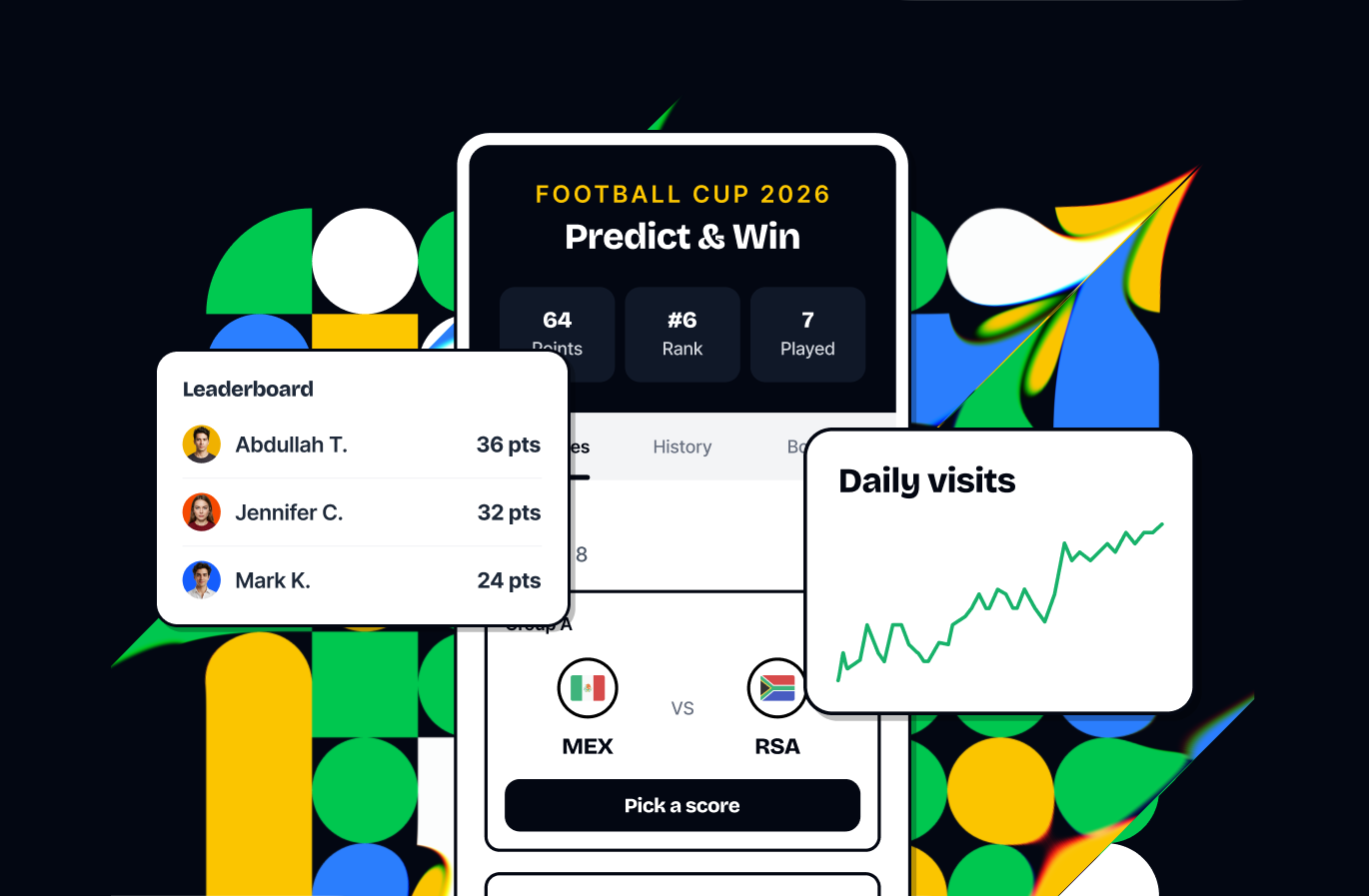
Predict & Win — World Cup 2026 Prediction Game
Launch a World Cup 2026 score-prediction game that gives your customers a daily reason to come back for a full month. Players forecast match scores, earn points for accuracy, climb a live leaderboard, and collect rewards — a perfect way to capture and engage a football-fan audience during a rare, sustained attention window.- Predict scores before kickoff and track results, points, and rank across Matches, History, and Board tabs
- Choose which matches are open — pick specific matches or filter by country
- Configurable scoring (exact / goal-difference / correct-winner / participation) with a knockout timing bonus
- Per-match and rank-based leaderboard rewards (up to 10 positions), delivered via Gameball, external API, or self-fulfilment
- Insights leaderboard with export to reward, segment, or run follow-up campaigns
Hide Redemption Options & Game Campaigns from the Widget
Take full control of what appears in your loyalty widget. Hide individual redemption options and specific game campaigns from the widget while keeping them fully accessible through the API and SDK — so you can build custom redemption flows and targeted game experiences in your own UI.- New “Show in widget” toggle on each redemption option (Widget > General > Redemption Options), defaults ON
- New “Show in widget” toggle on each game campaign (Widget > General > Games), defaults ON
- Hidden redemption options stay callable via GET /configurations/redemption; hidden games stay launchable via SDK openDetails() and web deep links
- Play & Win tab auto-hides when all games are hidden
Other Improvements
Programmatic SDK Widget Dismiss
A new public method on the Native iOS and Android SDKs lets you dismiss the Gameball widget directly from your app code — same dismiss animation, safe to call when the widget isn’t visible, and fully backward compatible.Widget Game Events Sent to Mobile SDKs
Widget games now emit agameCompleted event to the host mobile SDK when a customer finishes playing, so your app can react in real time.Redeemed Coupon Codes in Transaction Details
Order and transaction details now surface the redeemed Gameball coupon code, tied back to its order, giving you clearer visibility into which coupon drove each transaction.Channel Merge Pre-Enable Duplicate Check
Before Channel Merge can be enabled, Gameball now runs an automatic duplicate-detection check and emails you the results. Channel Merge stays blocked while duplicates exist, and a fresh check runs each time you re-attempt after resolving them.Referral Description in the Configuration API
The Referrals Configuration API now returns the referral program’s description field, in your configured languages — so you can display the exact description from your dashboard inside your own app or portal without hardcoding it.View Program Button in the Enable Program Banner
The “Enable Gameball” banner now includes a View Program button that takes you straight to the earn page, making it faster to preview and set up your loyalty program.Bug Fixes
- Reliable Bulk Points Add & Deduct — Bulk points operations now complete reliably and reflect balances immediately, with accurate progress and per-row error reporting.
- In-Store / POS Orders Now Earn Cashback — Fixed an issue where in-store/POS orders were not earning cashback points.
- Add Multiple Sub-Campaigns to a Calendar Campaign — Resolved a bug that blocked adding more than one sub-campaign.
- Quiz Sub-Campaign Text Color — Text color can now be customized for Quiz sub-campaigns across all banner options.
- Points Multiplier Validation — A blank internal campaign name now shows a clear validation error instead of failing silently.
- Reliable Bulk Tag Upload — Bulk tag updates via update-migrate now apply to every valid customer, with a per-row failure report.
- Locale Code in Update-Languages API — The locale code is once again returned when updating a client’s languages.
- Campaigns Catalogue Cleanup — Removed a duplicate tic-tac-toe campaign from the Campaigns Catalogue.
Smarter Earn Rules, Customer Progress Reset & More
New Features
Smarter Earn Rules: New Order & Line Item Filters
Build more precise earning and multiplier rules with a new set of order-level and line-item-level attributes. Configure rules based on total quantity, unique item counts, line-item discounts, redeemed points, coupon codes applied, and more — directly from the rule builder.New order-level attributes:- Redeemed amount in points
- Coupon codes applied
- Total items / Total unique items
has_points_redemption/has_coupon_redemptionboolean flags
- Discount amount on the specific line item
- Tax amount on the line item
Reset Customer Progress
Admins can now clear all per-customer activity — points, achievements, events, orders, transactions, referrals, tags, and segment memberships — while keeping every customer profile intact. Ideal for program relaunches or test environment handovers.- Customer profiles fully preserved (IDs, names, emails, phones, custom attributes)
- Two-step confirmation with clear summary of what is cleared vs. kept
- Full audit log entry created
Manual Points API — Optional Expiry Date
The manual points addition API now accepts an optionalexpiryDate parameter (ISO 8601). Set per-batch expiry dates at point-addition time — no separate update call needed.Other Improvements
Settings: Enclosed Side Drawer
Settings cards across Earn, Redeem, Referrals, and VIP Tiers now open in a side drawer without leaving the page.Order Details: Richer Line Item & Order Data
Tax column, Extras section, Channel field, and Coupon Codes field added to the Order Details panel.Shopify: Order Reference Number Now Captured
Stored asreferenceId on every transaction; appears as a column in exported reports.AI Image Generation: Widget-Ready Output
Background removal, theme injection, and edge-filling applied automatically to generated images.AI Image Studio: Prompt Continuity & Generation Controls
Last prompt pre-filled on regenerate; tab switching no longer clears the prompt.AI Image Library: Location-Based Filtering
Images organized by intended slot; no cross-context bleed.Daylight Saving Time Support
Timezone offsets now adjust correctly for DST-observing regions.Data Reset: Clearer Destructive Action Labels
“Reset All Customers” renamed to “Delete All Customers” with accurate scope descriptions.CSV Bulk Points: Template Now Includes Add & Deduct Examples
Two pre-filled example rows in the downloaded template.API Response When Gameball Is Disabled
Clear status field returned; points fields returnnull or 0, never silently empty.Free Product Reward: Min Purchase Amount Clarification
Persistent banner clarifies the threshold applies per product, not per cart.Filter Campaign Progress by Campaign ID
New optionalcampaignId filter on the reward-campaigns-progress endpoint.